Shopify app · AI product video · fashion, beauty, lifestyle

Turn product photos into shoppable videos.

Short product videos and homepage banners, made from the photos already in your catalog. Each one is checked against the real product and approved by you before it goes live on your product pages and in a shoppable feed. No shoot. No card to start.

Every video and photo on this page was made by ShopReels from flat product photos, on a real Shopify store · no stock footage, no mockups

YOU GET · 01Video on every product page

A short reel in the product gallery, next to your photos. It shows fit, texture and movement that a flat photo can't.

See the product page →
YOU GET · 02A shoppable feed on your store

A full-screen vertical feed with add-to-cart inside. Shoppers watch, pick a size and buy without leaving the video.

See the feed →
YOU GET · 03A homepage banner in motion

A wide video banner made from one product photo. Swap it for every drop or season, no shoot needed.

See the banner →
CASE 02Product-page video

Video in every product gallery.

A flat photo can't show drape, weight or how something moves. ShopReels adds a short product video to the native Shopify gallery of each product page, right next to your photos and the buy button.

✓ native Shopify media · works in any theme · no code
SHOPREELS DEMO

Bias-Cut Silk Slip Dress

$189.00
XSSML
Add to cart

Delivered as native Shopify product media. It plays in your theme's own gallery: no code, no extra scripts on the page.

CASE 03Lifestyle photos

From a flat photo to a lifestyle shot.

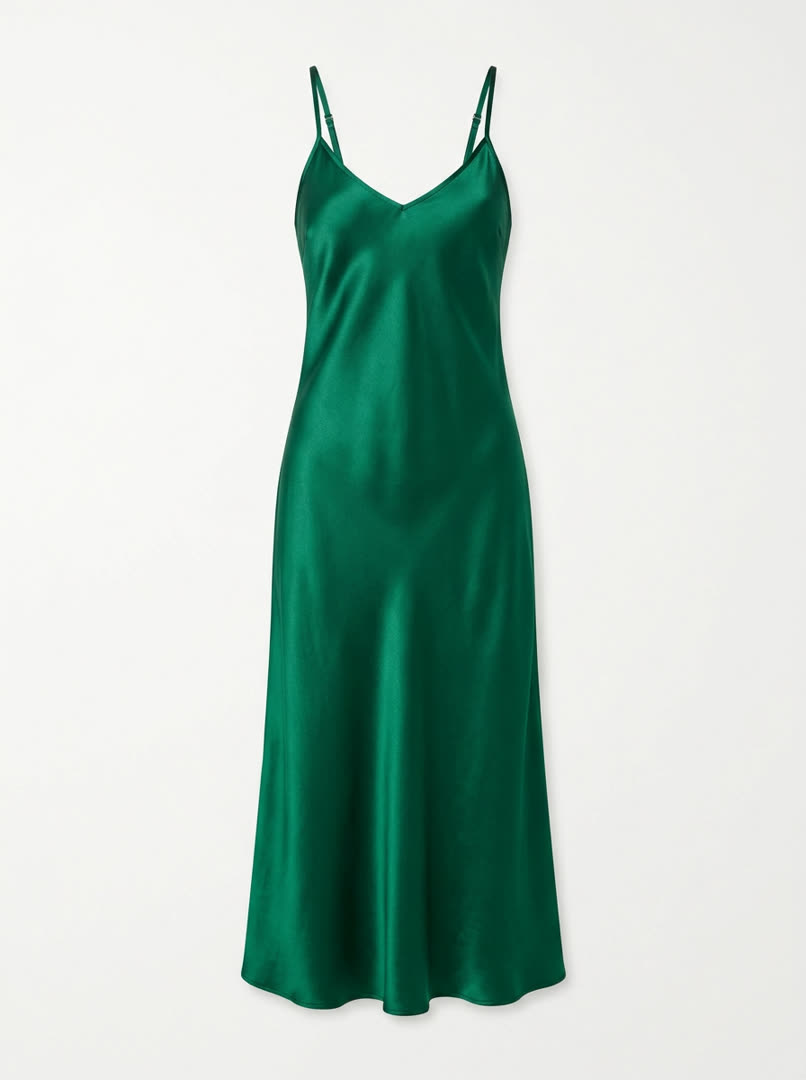
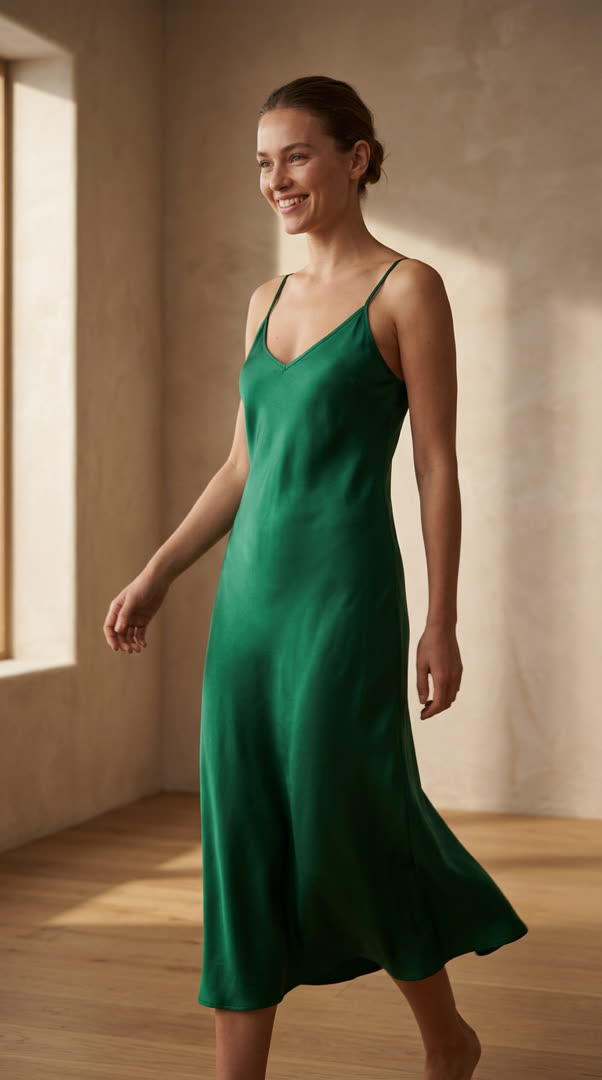
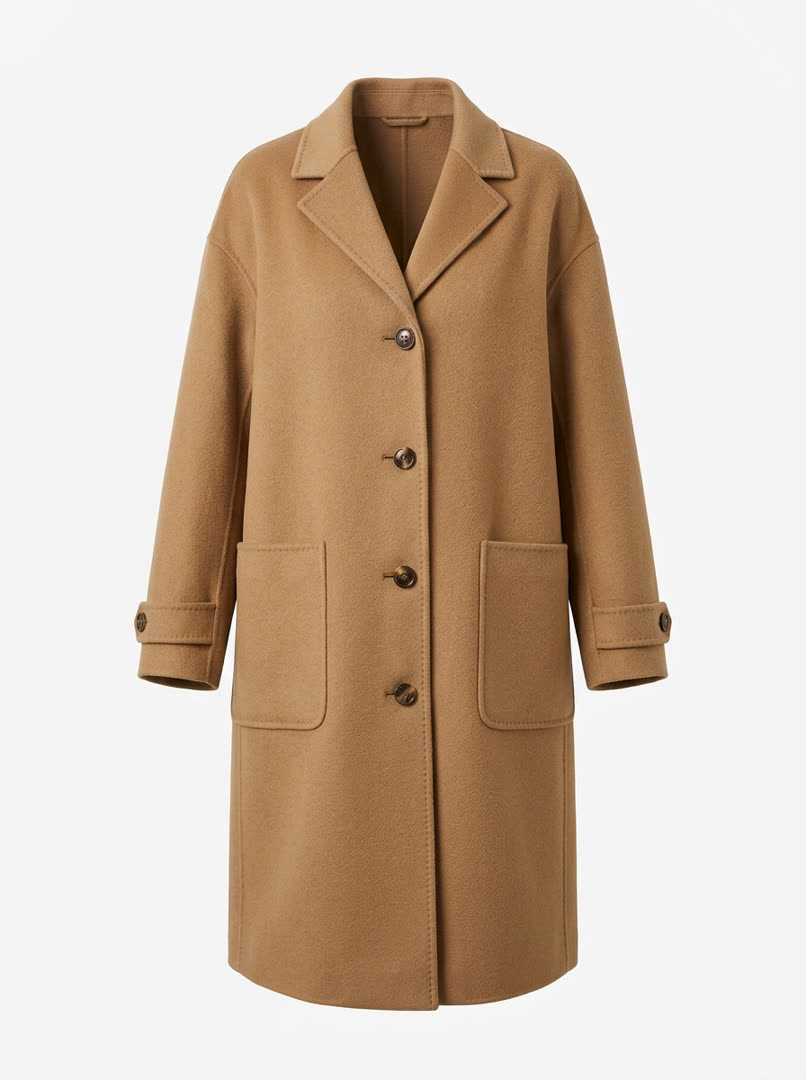
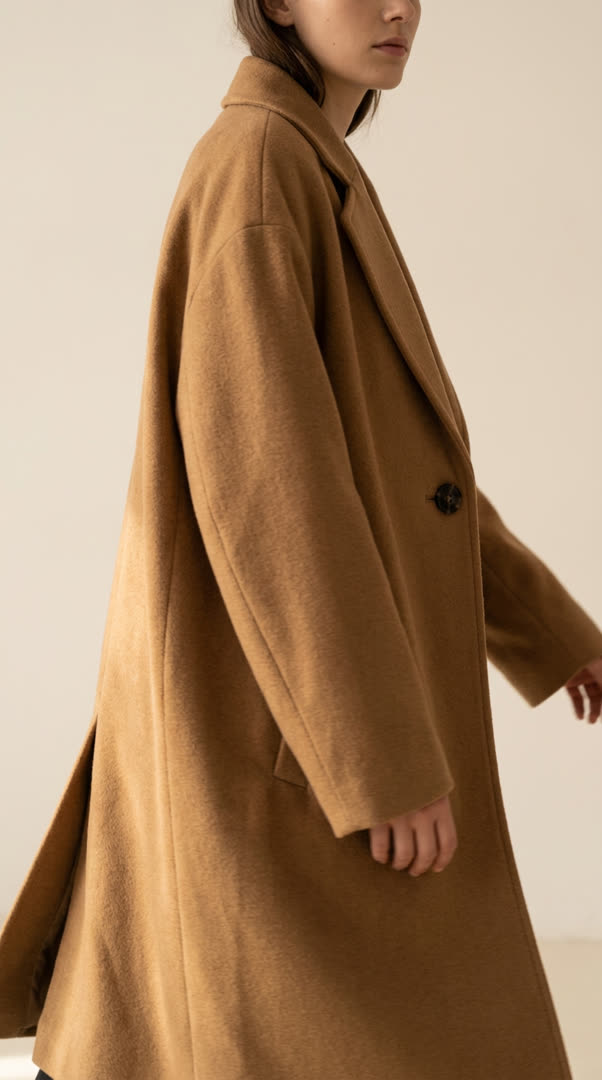
Most product pages have one flat photo. ShopReels adds a lifestyle photo of the same product in a real setting, on a model where that makes sense, plus a short video. Same cut, same colour, same hardware: every result is checked against your photo first.

✓ same product, checked against your photo before you ever see it
Your photoFlat pack-shot of a slip dress
ShopReelsSame slip dress on a model
Bias-Cut Silk Slip Dress — same silk, same cut, same neckline
Your photoFlat pack-shot of a wool overcoat
ShopReelsSame overcoat on a model
Oversized Wool Overcoat — cut, lapel and camel wool preserved
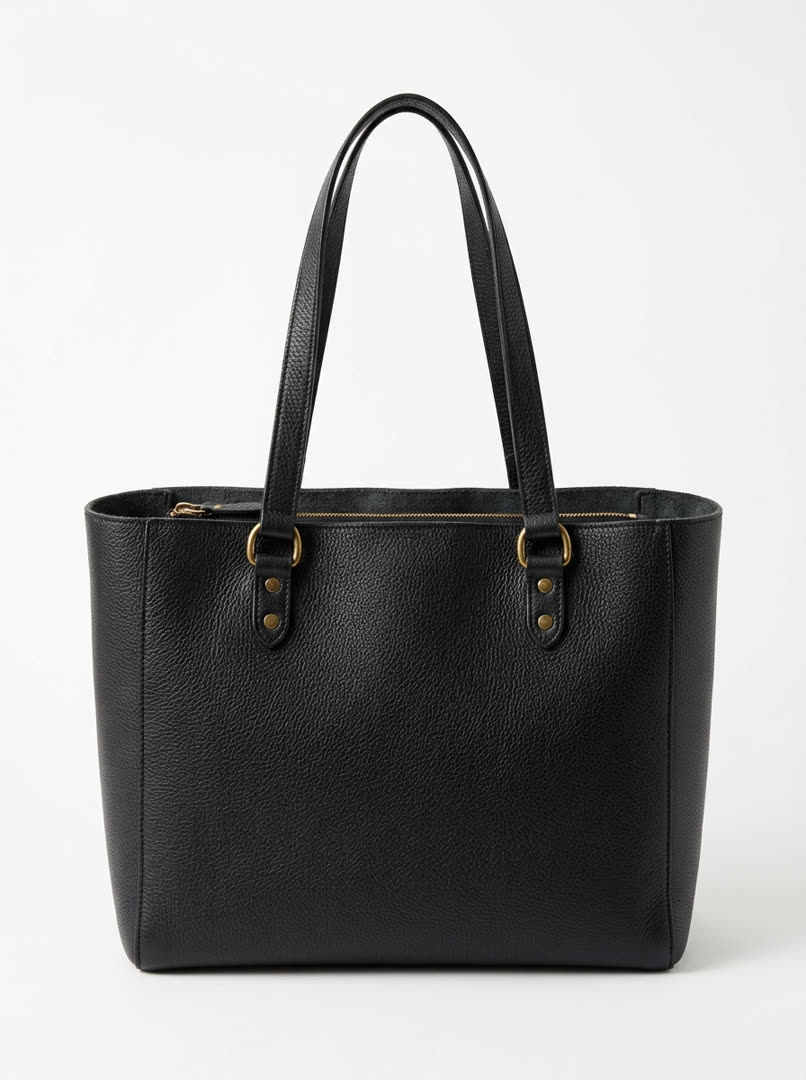
Your photoFlat pack-shot of a leather tote
ShopReelsSame tote on a model
Structured Leather Tote — pebbled grain and brass hardware preserved
One product, every format

One dress: lifestyle photo, product reel, homepage banner.

lifestyle photo · 4:5
product reel · 9:16
homepage banner · 16:9
CASE 04Shoppable video feed

A full-screen video feed on your store, with add-to-cart inside.

This is the exact widget running on our demo store: a full-screen vertical feed, your promo bar, one selling line per product, and add-to-cart inside the video. Shoppers buy without leaving the feed.

@shopreels.demo Free shipping over $150 · AW26 drop
Share
Oversized Wool Overcoat
$349.00
Double-faced camel wool, dropped shoulder — the coat that ends the search.
original sound — shopreels.demo
🛍 Add to cartView product
  • Full-screen feed on your storea floating "Shop the video" button; switch it on in the theme editor, no code
  • Add to cart inside the videothe real Shopify cart on every slide, not a link out
  • Promo bar & product linesyour offer pinned on top, one selling line per product
  • Sizes, prices and stock from Shopifya variant picker inside the feed; sold-out sizes shown as sold out
✓ a play counts only after 2 seconds of watching, once per visitor per video per day ✓ light on your theme: a 5 KB loader, the feed itself loads only when a shopper taps
slip dress
linen shirt
leather tote
matte lipstick
Try it on our demo storeOpen the feed, tap a product, add it to the cart. This is the exact widget your store gets, on a real Shopify storefront.
Open the demo store ↗
SCENARIOSScenarios

Every video answers a buyer's question.

You don't write prompts. Pick a scenario and ShopReels plans the shot for that product: what it shows, how it moves, and where it goes on your store. Six of the built-in scenarios, each previewed with real output for our demo store.

reel
In use / in motion "How does it actually fit and move?" you get → 5-second 9:16 reel: the product worn and moving · product gallery + feed
reel
Reveal & details "What exactly am I paying for?" you get → 5-second 9:16 reel: slow reveal, one close-up of the defining detail · product gallery
reel
Problem → solution "Will this work for Friday's dinner?" you get → 5-second 9:16 reel: the problem in one beat, the product as the answer · feed
photo pair
Your photoFlat pack-shot of a lipstick ShopReelsSame lipstick on a model
Lifestyle photo "What does it look like on a real person?" you get → 4:5 photo of the same product in a real setting, checked against your photo · product gallery
reel
Creator first look "What would a real person say about it?" you get → 5-second handheld first look: unboxing, first try, a real reaction · feed

nine scenarios built in · every preview above is real output for our demo store

TRUSTQuality check

When the AI gets the product wrong, it doesn't go live.

Every result is compared with your real product photo and scored. Failures are rejected before you see them; doubtful ones are flagged. Then you approve each video yourself. Nothing goes live without your yes.

2×
checks on every video: an automatic match against your product photo, then your approval
100%
of published videos were approved by the store owner first
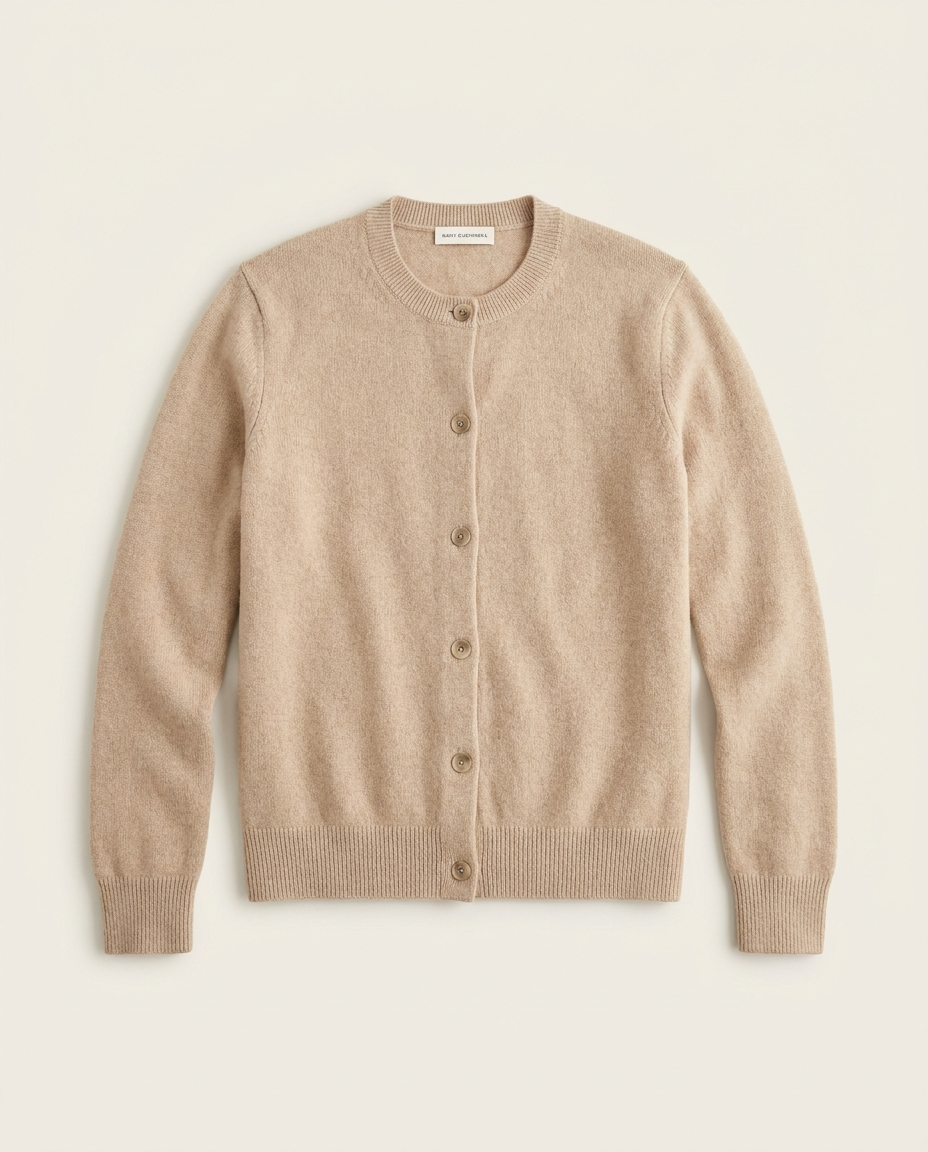
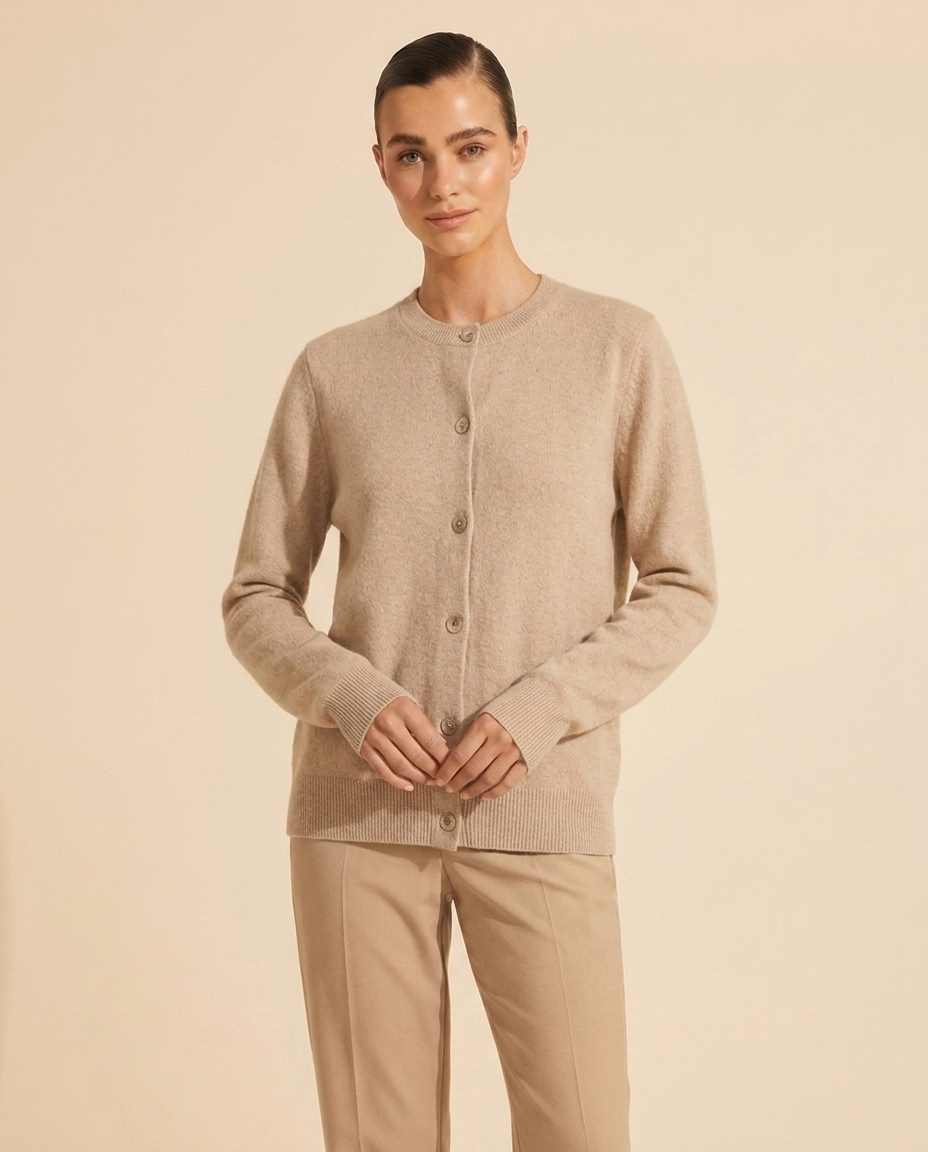
Real productOriginal cardigan pack-shot
RejectedGenerated photo rejected by quality control

A good-looking shot, and the check rejected it: score 55/100 — "V-neck became a crew neck; silhouette altered." It never reached the store. That is the gate between AI output and your brand.

Pricing

Pay per approved video. Never for attempts.

Start with 3 free videos for 90 days, no card. After that, pick a plan by how many videos you approve per month. Failed or rejected generations never count, and nothing is charged automatically.

Only approved videos countA video counts against your plan when you approve it and it goes live. Failed or rejected generations never count.
Self-serve, in your Shopify adminInstall the app, pick products and a scenario, approve what you like. The feed and banner switch on from the theme editor. No code.
One simple usage metricQualified plays: a play of 2+ seconds, counted once per visitor per video per 24 hours. Not impressions.
No surprise chargesAt your limit you get an upgrade prompt. Your videos stay live and your card is never charged on its own.

* qualified play = 2+ seconds of playback, counted once per visitor per video per 24 hours · at any limit you get an upgrade prompt, never an automatic charge · failed generations never count

What counts as a video: one approved reel or banner that goes live on your store. Lifestyle photos, failed generations, rejected results and re-publishing an existing video never count.
Free to start

Your first 3 videos are free.

Early access for a limited number of stores: 3 approved videos, live on your storefront, for 90 days. No card. If it works for you, pick a plan. If not, you've lost nothing.

  • 3 approved videos: product reels or a homepage banner, live on your store
  • 90 days · up to 10,000 qualified plays / mo
  • No card · no watermark on your videos · no automatic charges
Get 3 free videos →
FAQQuestions

Before you start.

What do I need? A Shopify store and products with at least two photos each. No video, no model, no studio.

What exactly do I get? Short vertical product videos for product pages and the feed, a wide homepage banner, and lifestyle photos. Everything is published as native Shopify media in your own store.

Will it show my actual product? Every result is compared with your product photo and scored. Failures are rejected, doubtful ones flagged, and you approve each video before it goes live.

Do I need a developer? No. Install the app, generate in your Shopify admin, and switch the feed and banner on in the theme editor.

What does it cost? Your first 3 videos are free for 90 days, no card. After that, plans start at $29 a month and are sized by approved videos. Failed generations never count.

How long does it take? A video takes a few minutes to generate and check. You approve it when it's ready. You can remove any video from your store at any time.